
Which remote does Smarter Homes install?
For handheld control we install the Josh Edge remote from Josh.ai. It has six custom buttons we program for your scenes, tap-to-talk voice control, a navigation pad and dedicated AV buttons for Apple TV, Roku, Kaleidescape and other sources. One Edge can run the TV, music, lights and shades in a room without a phone or tablet.
Every remote and touchscreen we install runs on the same Josh.ai system that ties together your home automation, lighting control, motorized shades, whole-home audio and video. Our standard has three options: the Josh Edge handheld, Josh Touchscreens for walls and bedsides, and the AVA remote with Josh.ai for clients who want a screen in the hand.
When does a touchscreen make sense?
A Josh Touchscreen makes sense wherever people want control without picking anything up: the kitchen, a bedside table, the theater entrance or a home office. It comes in 8 inch and 10 inch sizes, mounts on the wall or sits on a table, and runs on PoE, so one Cat 6 cable provides both power and network.
Josh Edge at a glance
- Six personalizable buttons for scenes such as Movie Time, lights, shades, music or a fireplace
- Tap-to-talk voice button for whole-home commands
- Multi-directional navigation pad
- Dedicated AV buttons for Apple TV, Roku, Kaleidescape, Dish and Xfinity
Josh Edge: the remote for every TV room
Location: any room with a TV.
We place a Josh Edge in each media room, family room and bedroom with a TV. The six top buttons are set in the Josh app for that room, so one press can dim the lights, lower the shades and start a movie.
Buttons you can feel matter in a dark room, which is why the Edge is our default handheld. On our most recent large Josh.ai home, every room, including the theater, has a Josh Edge, and the Josh app runs the whole house.
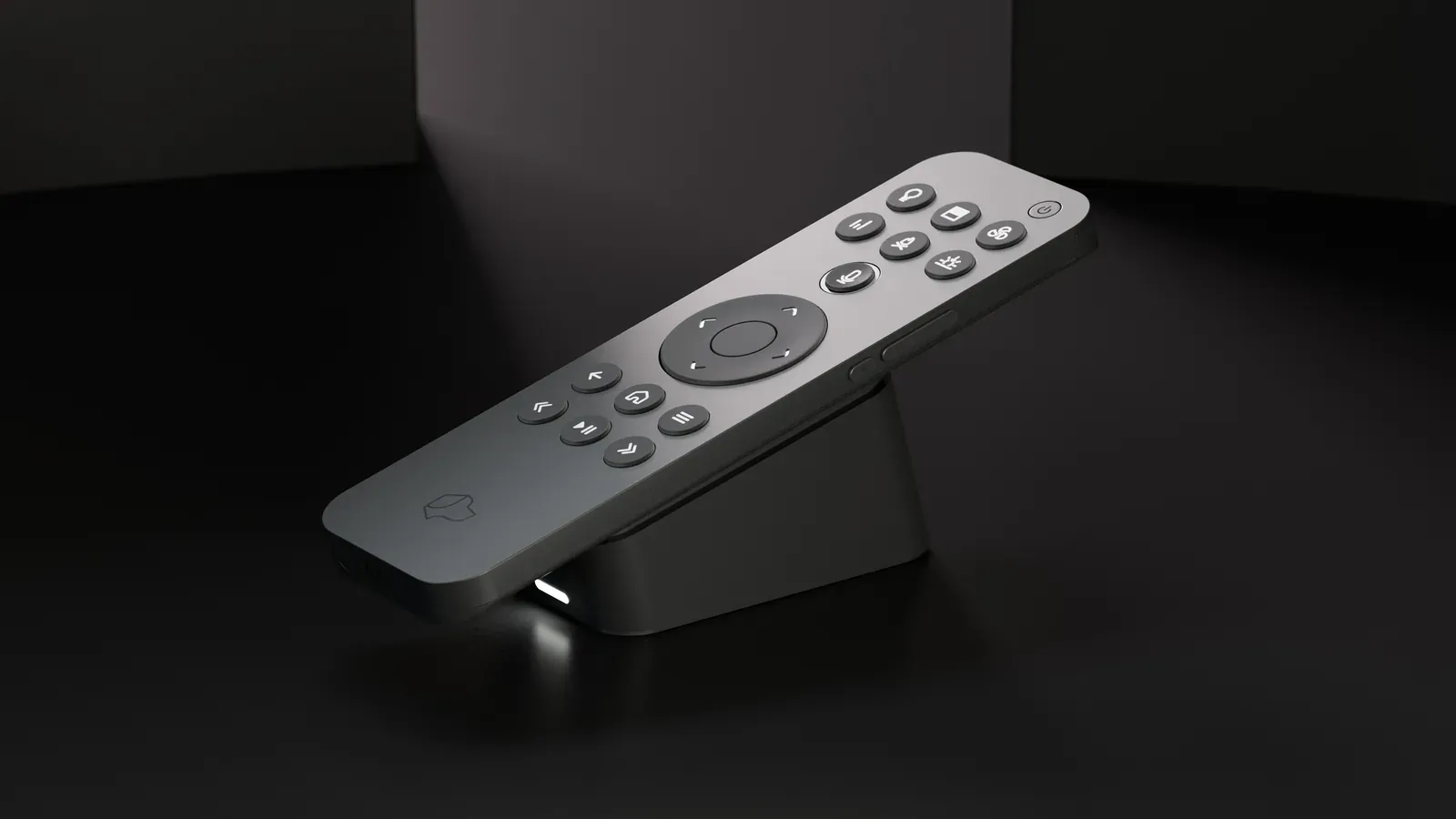
Image: Josh.ai
Which remote fits which room?
Most homes mix the three. A Josh Edge suits media rooms and family rooms, where buttons you can feel in the dark matter. A Josh Touchscreen suits kitchens, bedsides and entries, where control should stay put. An AVA remote suits a home theater or a client who prefers a handheld screen. We plan the mix during design.
| Room | Usual choice | Why |
|---|---|---|
| Family room or media room | Josh Edge | Hard buttons, voice, TV control |
| Home theater | AVA remote with Josh.ai, or Josh Edge | Handheld screen for browsing content |
| Kitchen or entry | Josh Touchscreen, wall | Always in place, whole-home view |
| Primary bedroom | Josh Touchscreen, tabletop, plus a Josh Edge | Bedside scenes and TV |
What is the AVA remote with Josh.ai?
The AVA remote is a handheld touchscreen remote that works with Josh.ai. It suits clients who want a screen in the hand, with room and source menus, rather than hard buttons. It is the third option in our standard, alongside the Josh Edge handheld and Josh Touchscreens, and all three control the same Josh.ai system.
The AVA remote has a dedicated Speak to Josh button for voice control, and once it is assigned to a room it controls that room first while still reaching shades, lights and music across the home.
We order every AVA remote through Josh.ai. That way it arrives locked to the Josh experience, without extra apps and settings that can confuse a family later and turn into service calls.
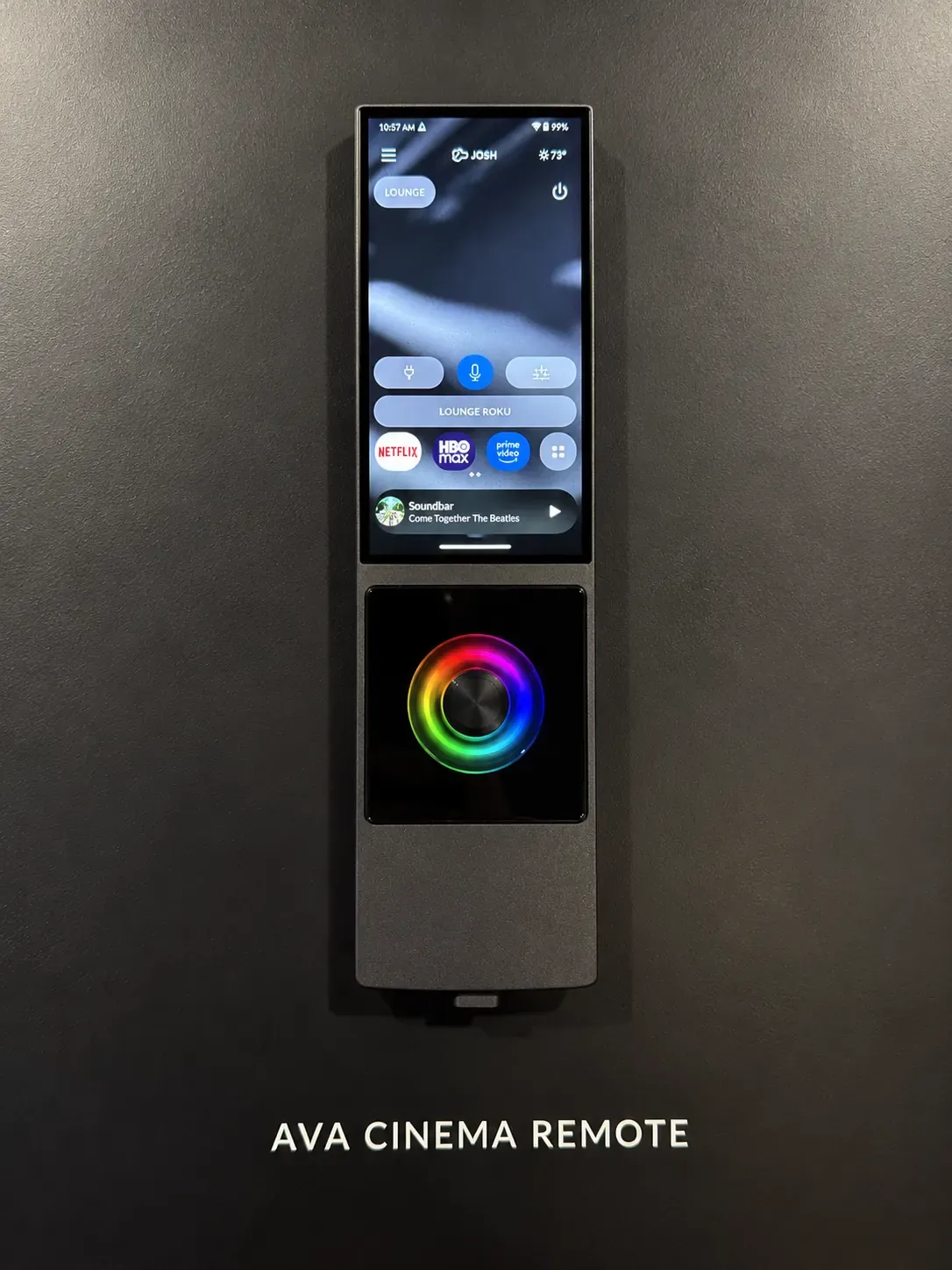
Photo: Smarter Homes at CEDIA Expo 2026
Does a remote need special wiring?
The Josh Edge remote needs no wiring of its own, but it relies on a Josh.ai processor in the equipment rack. Each Josh Touchscreen location needs a Cat 6 run for PoE power, so wall and tabletop screens are best planned at prewire, before the drywall goes up.
Our prewire standard runs three Cat 6 cables to every TV location and conduit wherever future use is unknown, so remotes, touchscreens and video sources can change later without opening walls.
Why not just use an iPad or phone?
You can, and the Josh.ai app runs on both. But tablets and phones leave the room, run out of battery and get pulled into email and texts. A dedicated remote or touchscreen always stays where it is needed, works for guests and family members alike, and turns on the TV in one press instead of several taps.
Josh Touchscreen: control that stays in place
Location: primary bedside, kitchen, entry and theater.
The Josh Touchscreen shows lighting, shades, music, climate and cameras on an 8 inch or 10 inch screen. Wall-mounted screens sit at the kitchen or entry; tabletop screens sit at the bedside. Because it runs on PoE, one Cat 6 cable powers it. Sometimes a remote needs to stay a remote.
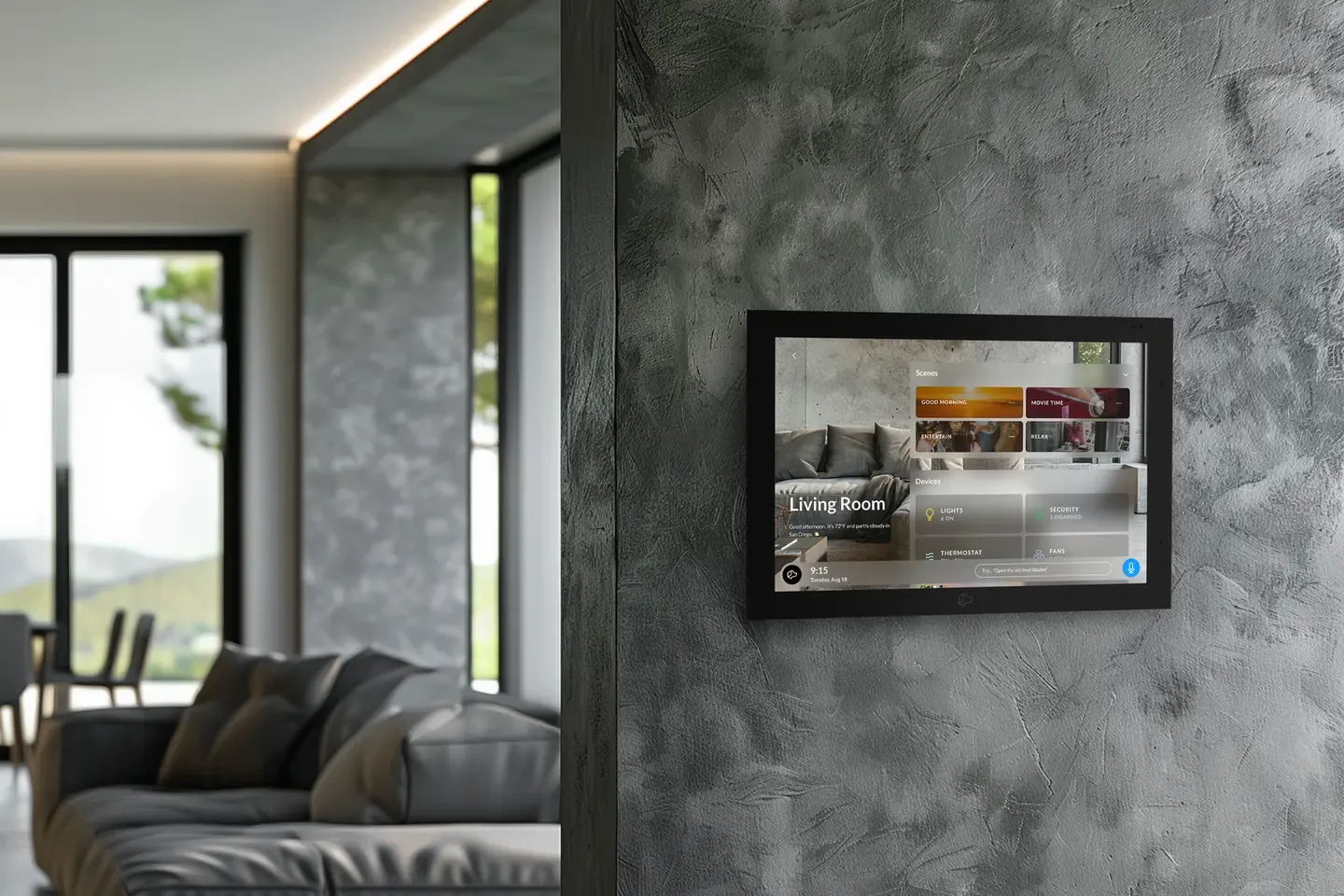
Image: Josh.ai