
Private voice and touchscreen control
Josh.ai Home Control in Austin
Josh.ai lets you run lights, shades, music, climate and security by voice or touchscreen, with privacy built in. We design and install it in homes across Austin, Westlake, Tarrytown and West Lake Hills, on top of Lutron, Sonos and a UniFi network that each keep working on their own.
- Over 160 5-Star Google Reviews
- In business since 2006
- HTA Estate Certified

Smart home voice control
What does Josh.ai control?
Josh.ai controls Lutron lighting and shades, Sonos music, TVs and Apple TV, thermostats and security, by voice, touchscreen, remote or app. You speak normally, such as "turn on the kitchen lights" or "play jazz on the patio", and Josh.ai knows which room you are in.
- Lighting and shades. Lutron dimmers, Ketra lights and motorized shades, by room or by scene. See lighting control.
- Music. Sonos in every room, grouped or on its own. See whole-home audio.
- TVs and video. Apple TV, Kaleidescape and distributed video on one remote.
- Climate. Lutron thermostats where they fit the HVAC, Ecobee otherwise. Multi-stage and variable-speed systems keep the manufacturer's thermostat.
- Scenes. Say "good night" and the house locks in the lights, shades and music you chose.
Voice is not a security device. The alarm runs on its own Qolsys panel with PowerG sensors and Alarm.com monitoring, so arming and alerts never depend on a voice command. See security systems.
The hardware
Which Josh.ai devices go in the house?
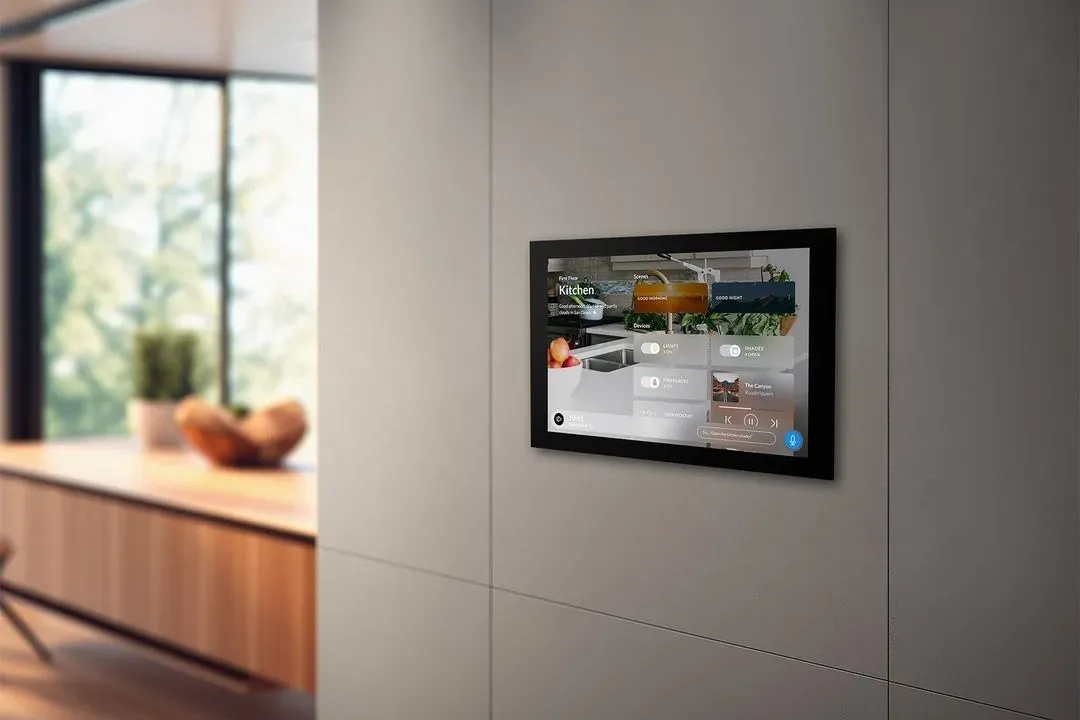
A Josh Core processor in the rack, Josh Nano or Josh Micro microphones in the rooms you talk to, Josh touchscreens on the walls, Josh Edge remotes in the TV rooms and the Josh.ai app on every phone. One Core supports up to 100 microphones, and a second Core can be added for redundancy.
| Device | What it does | Where we put it |
|---|---|---|
| Josh Core | The processor. Power over Ethernet, runs most processing locally, works across multiple VLANs | Equipment rack, on the wired UniFi network |
| Josh Nano | Flush microphone with a privacy switch that physically disconnects it | Wall or ceiling, where a Cat 6 run was prewired |
| Josh Micro | Compact microphone for a table or wall | Tabletop or wall, where no wire was run |
| Josh Touchscreen | 8 in screen with tap-to-talk; a 10 in model was announced at CEDIA Expo 2025 | Entry, kitchen and bedside, on a Cat 6 PoE run |
| Josh Edge remote | Six custom buttons, tap-to-talk, a navigation pad and source buttons; charges on a base | Every TV room and the theater |
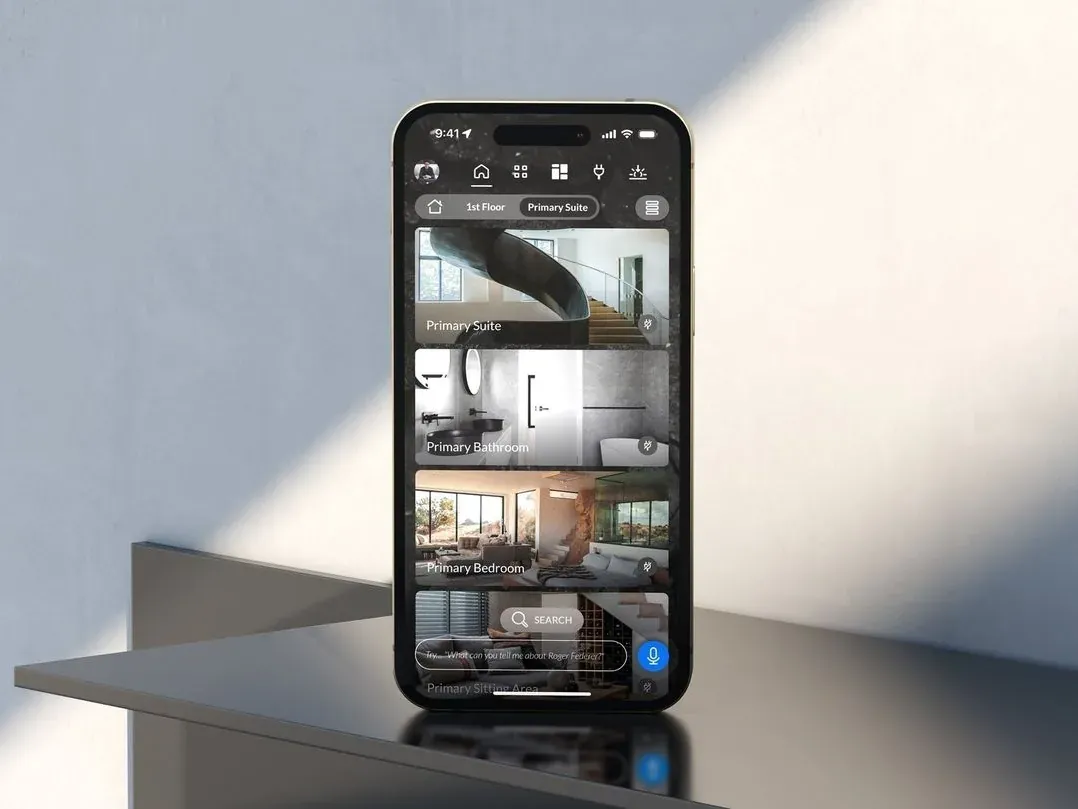
| Josh.ai app | Rooms, scenes and voice from your phone | Every family member's phone |
Some families prefer a second remote style, so an AVA remote with Josh.ai built in is our third option, ordered through Josh.ai. See all of our automation remotes and the app control page.
Josh.ai and Lutron
How does Josh.ai work with Lutron?
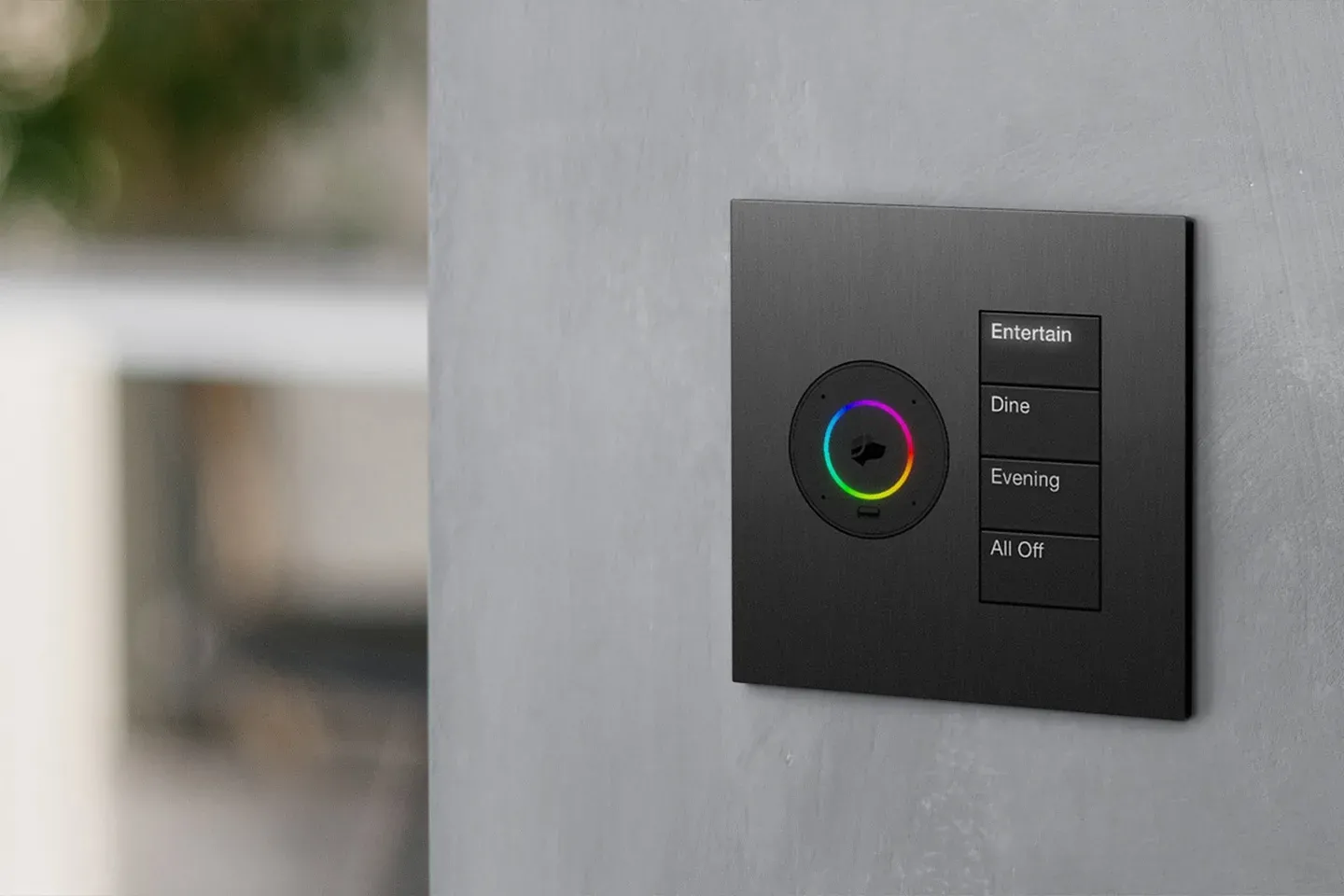
Josh.ai connects natively to Lutron RadioRA 3 and HomeWorks QSX. A button press on the Lutron processor lets Josh.ai read the Lutron programming, including rooms, dimmers, Ketra lights, shades, fans and keypads, and the two talk over the home network. Lutron keeps running the lights; Josh.ai adds voice and touchscreens.
Because Josh.ai reads the Lutron floor plan, the names you say match the names engraved on your keypads. "Dining" on the keypad is "dining" when you speak, and a scene changed on a keypad changes for Josh.ai too.
If Josh.ai is offline, every Lutron keypad still works on its own. For keypads, shades and Ketra lighting see Austin Lutron, our Lutron site, or our lighting control page. Moving off an older system? See Control4 and Crestron replacement.
Privacy
Is Josh.ai more private than Alexa?
Yes, on the points most families ask about. Josh.ai says it never sells client data or uses it for marketing, runs most processing locally on the Josh Core and acts only after its wake word. Since March 28, 2025, Echo devices send every Alexa voice request to Amazon's cloud.
| Josh.ai | Consumer assistant (Alexa) | |
|---|---|---|
| Where processing happens | Mostly on the Josh Core in your rack; speech recognition goes through an encrypted cloud service, then the command runs locally | Voice recordings go to Amazon's cloud; the local-only option ended March 28, 2025 |
| Use of your data | Not sold and not used for marketing, its privacy page says | Amazon offers advertising controls in the Alexa Privacy Hub |
| Microphones off | Tap to mute; the Nano's switch physically disconnects its microphones | Microphone-off button on Echo devices |
| History | Chat history can be permanently deleted; AI learning can be turned off | Recordings can be reviewed and deleted in Alexa privacy settings |
| Built around | The house: rooms, keypads and scenes | A personal shopping and media account |
| How you get it | Only through professional installers | Retail, set up by the owner |
Both need the internet. Josh.ai's FAQ says it cannot be used until the connection returns, which is why the lights, shades and alarm in our homes never depend on it.
Design
Where should Josh.ai microphones go?
In the rooms where you actually talk to the house: the kitchen, the family room, the primary suite and the media room. Offices usually stay out. Each microphone needs a wired network connection or a planned spot for a Micro, and the network has to be solid before any of it works.
- Josh Nano flush in the wall or ceiling where a Cat 6 run was prewired; Josh Micro on a table or wall where it was not
- Bedrooms get a Nano with its privacy switch, so the microphones can be disconnected at night
- Wired UniFi access points and VLANs, because the Josh Core needs a business-grade network. See whole-home Wi-Fi
- Room and scene names written to match the engraved keypads before programming starts
- Three Cat 6 runs to every TV location, and Cat 6 PoE behind every touchscreen
Cost
How much does Josh.ai cost in Austin?
Josh.ai is priced with the system design. The total follows how many rooms get microphones, touchscreens and Josh Edge remotes, and what Josh.ai needs to control, so we quote it inside the full home control plan rather than as a separate box. You see every line before anything is ordered.
The biggest swing is the house itself: a home with Lutron, Sonos and a UniFi network already in place needs mostly Josh.ai hardware and programming, while new construction includes the wiring and the systems Josh.ai runs. See home automation for the full approach.

Westlake and Barton Creek
Who installs Josh.ai in Austin?
Smarter Homes, in business since 2006, from its showroom at 5524 Bee Caves Rd in West Lake Hills. We are HTA Estate Certified. Visit the showroom to see the Lutron controls in person and talk through where voice control belongs in your house.
Over 160 5-Star Google Reviews. Read all of our Google reviews
Where we install
Where do you install Josh.ai?
We install Josh.ai in Westlake, Barton Creek, Tarrytown, Rollingwood, Spanish Oaks, Bee Cave, Lake Austin waterfront homes and across Austin, from our showroom on Bee Caves Road in West Lake Hills. New construction, remodels and existing Lutron homes all qualify.
- WestlakeNear our showroom
- Barton CreekNew estates and remodels
- TarrytownRemodels that keep the existing wiring
- RollingwoodRetrofits and new construction
- West Lake HillsShowroom on Bee Caves Road
- Spanish OaksWhole-home voice and touchscreens
- Lake Austin waterfrontDocks, patios and outdoor music
- Bee CaveNew construction prewired for microphones
- AustinHomes across the city
Questions
Josh.ai questions
Is Josh.ai always listening?
No. Josh.ai listens for its wake word, such as Ok Josh, and acts only after it hears it. Tapping the dial mutes a Josh Micro or Josh Nano, and the Nano also has a privacy switch that physically disconnects its microphones. Josh.ai says it never sells client data or uses it for marketing.
What happens to Josh.ai if the internet goes down?
Josh.ai needs the internet for speech recognition, and its FAQ says it cannot be used until the connection is restored. That is why we design the house in layers: Lutron keypads still run the lights and shades, Sonos still plays from its app and the alarm keeps working on its own panel.
Does Josh.ai work with Lutron RadioRA 3 and HomeWorks QSX?
Yes. Josh.ai connects natively to Lutron RadioRA 3 and HomeWorks QSX. After a button press on the Lutron processor, Josh.ai reads the Lutron programming, including rooms, dimmers, Ketra lights, shades and keypads, and the two talk over the home network. Your engraved keypad names become the names you say.
What is the Josh Edge remote?
Josh Edge is Josh.ai's handheld remote. It has six custom buttons, tap-to-talk voice, a navigation pad and buttons for Apple TV, Kaleidescape and other sources. It charges on a base and runs about three months per charge, Josh.ai says. We put one in every TV room.
How much does Josh.ai cost?
Josh.ai is priced with the system design. The total follows the number of rooms with microphones, touchscreens and Josh Edge remotes, and what Josh.ai needs to control, so we quote it as part of the full home control plan. Josh.ai is sold only through professional installers, not in stores.
Can I buy Josh.ai and install it myself?
No. Josh.ai is sold only through professional installers. The Josh Core needs a wired, business-grade network, and each room, scene and device has to be named and programmed so voice commands match the house. We design the network, install the hardware and keep the programming up to date.
Start with Josh.ai
How do you start a Josh.ai project?
- 1
See it
Visit our showroom or meet by video to talk through the house.
- 2
Plan the rooms
Pick where microphones, touchscreens and remotes go.
- 3
Get the design
Josh.ai priced with the system design, line by line.
Builders and architects
Send the floor plan and reflected ceiling plan. We mark Josh Nano locations, touchscreen boxes, Cat 6 PoE runs and the rack, so they are in the prewire. See home automation.
Send plans for reviewHomeowners
Visit our West Lake Hills showroom to see Josh.ai and Lutron controls in person, or meet by video. Or call 512-775-6101.
Book a consultationSources
- Josh.ai privacy (checked Nov 2026): wake word, local processing, no data sales, Nano privacy switch
- Josh.ai FAQ (checked Nov 2026): professional installers only; internet required
- Josh Core (checked Nov 2026): PoE processor, up to 100 microphones, multiple VLANs
- Josh Nano (checked Nov 2026): wall or ceiling microphone with disconnect switch
- Josh Micro (checked Nov 2026): surface or wall microphone
- Josh Touchscreen (checked Nov 2026): 8 in, wall or tabletop, tap-to-talk
- Josh.ai at CEDIA Expo 2025 (checked Nov 2026): 10 in touchscreen announced
- Josh.ai, Josh Edge announcement (checked Nov 2026): six custom buttons, about three months per charge
- Residential Systems, Josh Edge review (checked Nov 2026): IPX4, charging base
- Josh.ai, Lutron HomeWorks QSX and Ketra support (checked Nov 2026)
- Josh.ai, Lutron RadioRA 3 support (checked Nov 2026)
- Lutron and Josh.ai white paper (checked Nov 2026): local network communication
- TechCrunch, Echo voice recordings to the cloud (checked Nov 2026)
- AP News, Alexa voice recording change (checked Nov 2026)
- Amazon Alexa Privacy Hub (checked Nov 2026): privacy and advertising controls
Smarter Homes, 5524 Bee Caves Rd, Unit J8, West Lake Hills, TX 78746. 512-775-6101 · Book a consultation